
Creator clip editing
Edit Gameplay Clips While The Moment Is Fresh
Turn stream recordings into campaign posts, highlight reels, short-form videos, and social uploads without moving the footage into a separate editor.
Start from the session
Pull clips from recorded gameplay and keep them tied to the creator workflow.
Edit for the brief
Add captions, overlays, audio, intros, outros, and mobile crops for specific deliverables.
Move faster to social
Prepare clips for YouTube, TikTok, Reddit, and other platform outputs after the stream.
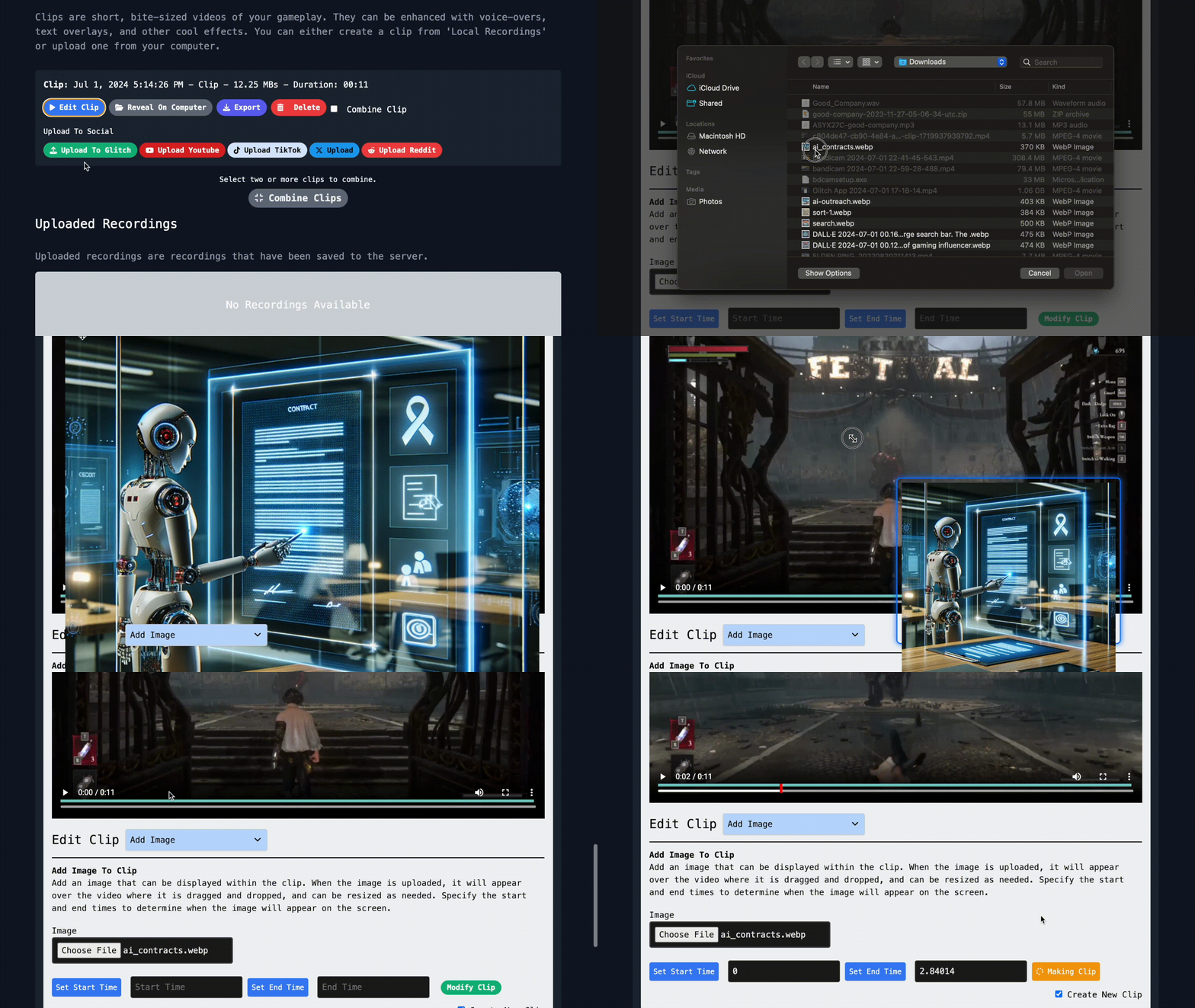
Visual layers
Add images and text without leaving the clip flow
Drop in logos, memes, captions, title cards, or context text when a campaign brief needs specific talking points on screen.
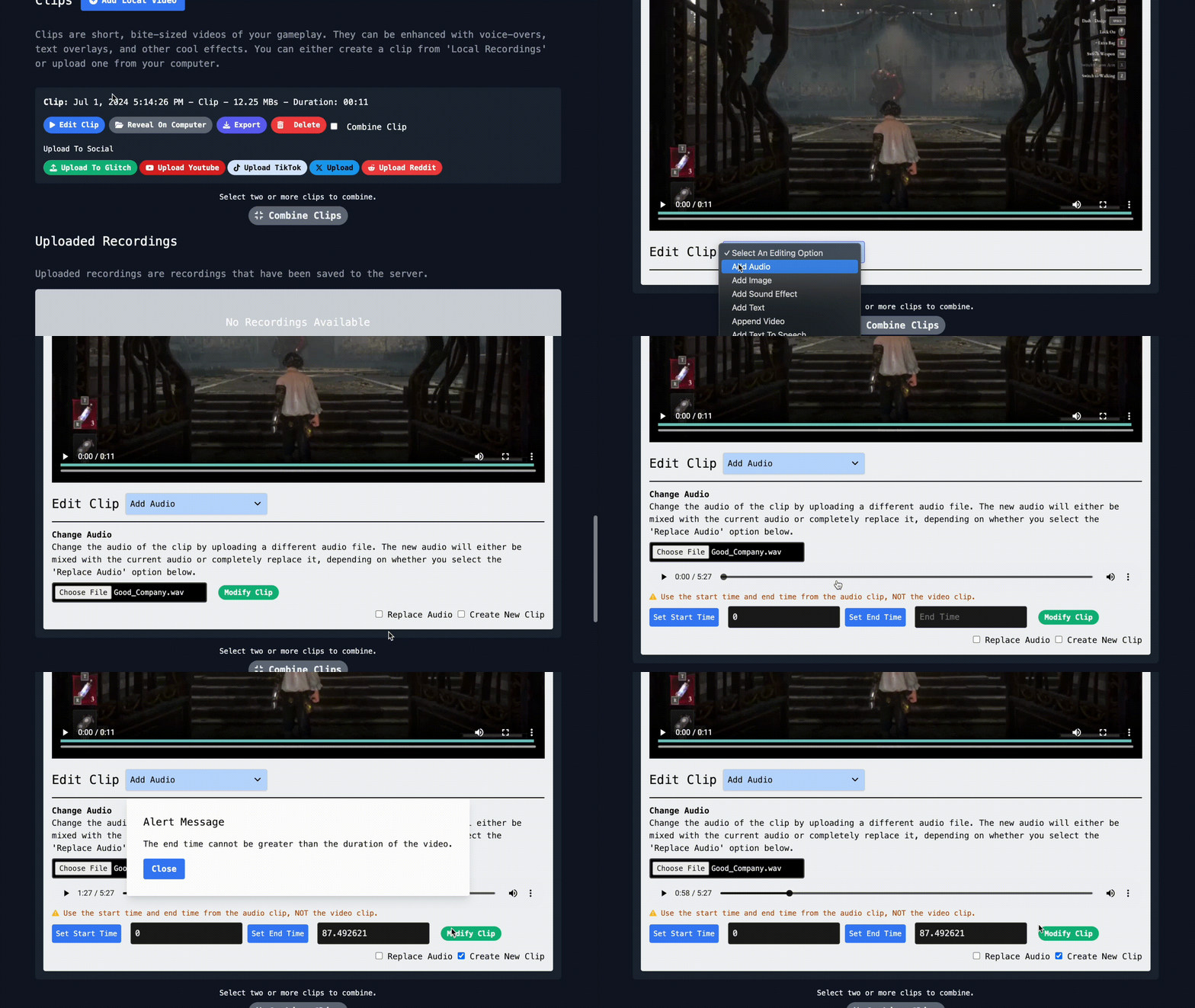
Audio edits
Add voice, music, and sound moments
Attach audio, record narration, adjust volume, or add short sound effects to make gameplay clips clearer and easier to publish.
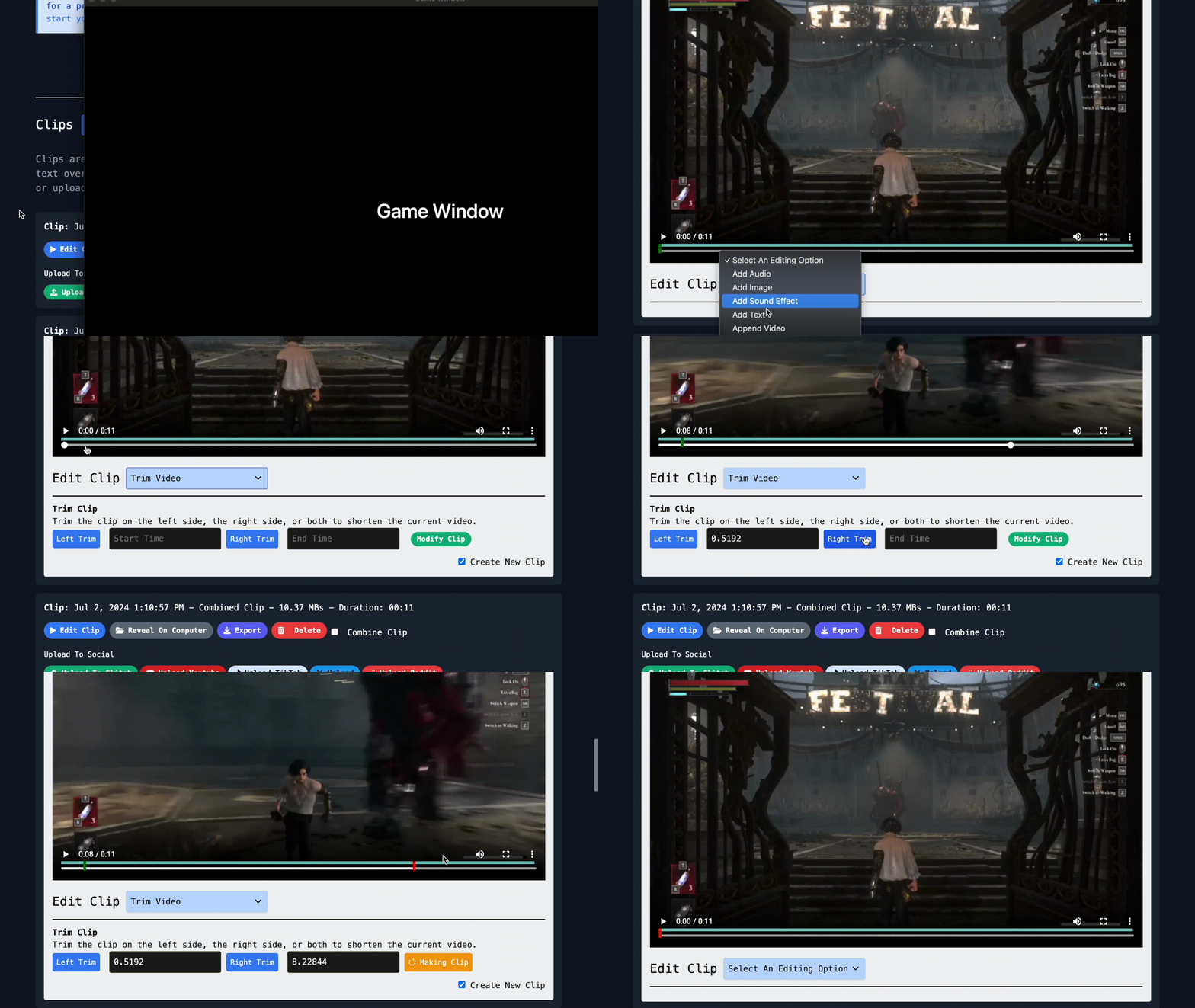
Clip assembly
Trim, append, and combine footage
Build a cleaner story from a stream by trimming dead air, adding intro or outro clips, and combining the best moments into one export.
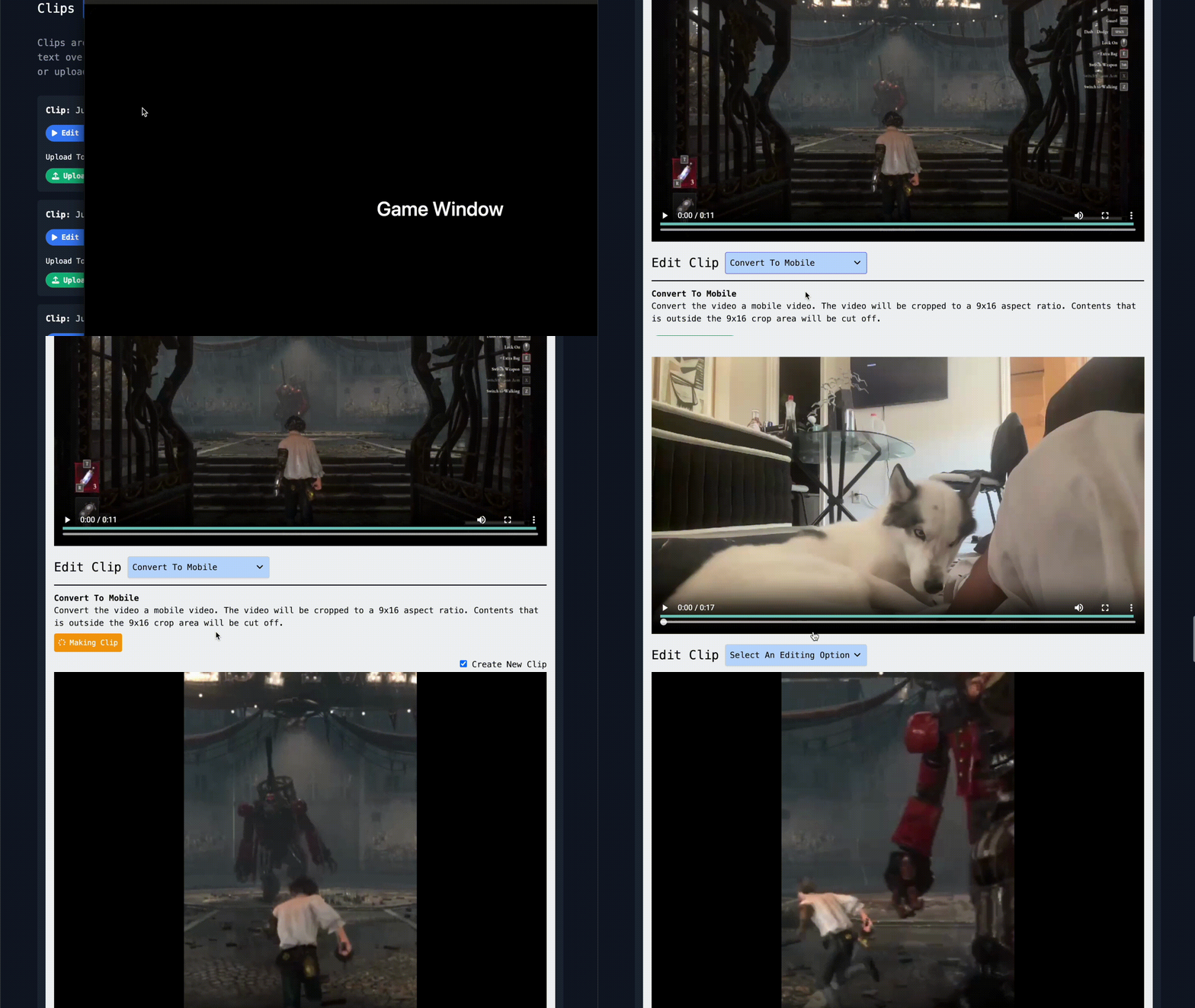
Short-form output
Convert gameplay into platform-friendly cuts
Turn desktop gameplay into mobile-friendly formats for TikTok, YouTube Shorts, Reels, and other campaign deliverables.
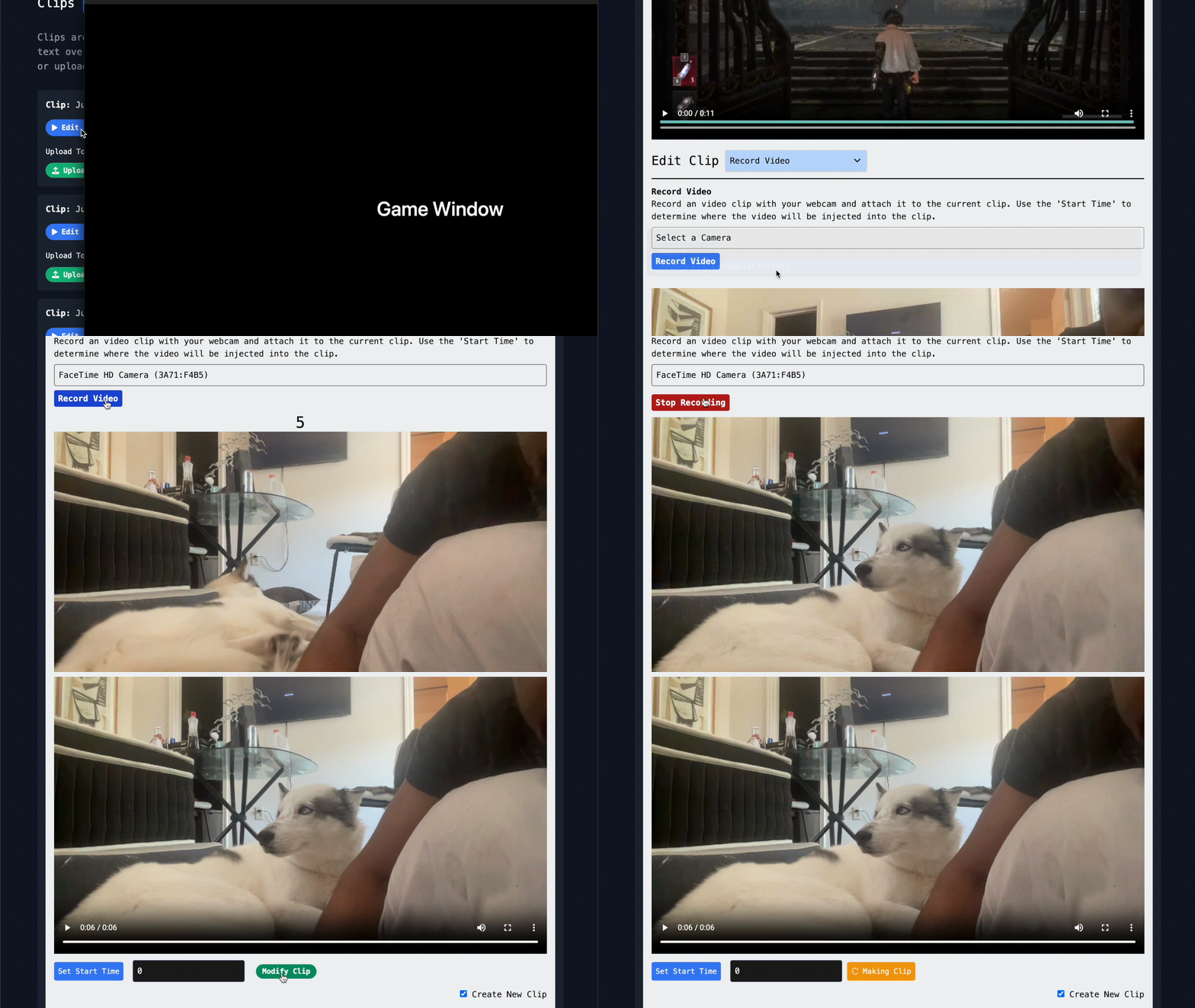
Creator voice
Record video or generate speech when the brief needs narration
Add a talking-head segment, record a direct camera clip, or use text to speech for quick explanatory moments.
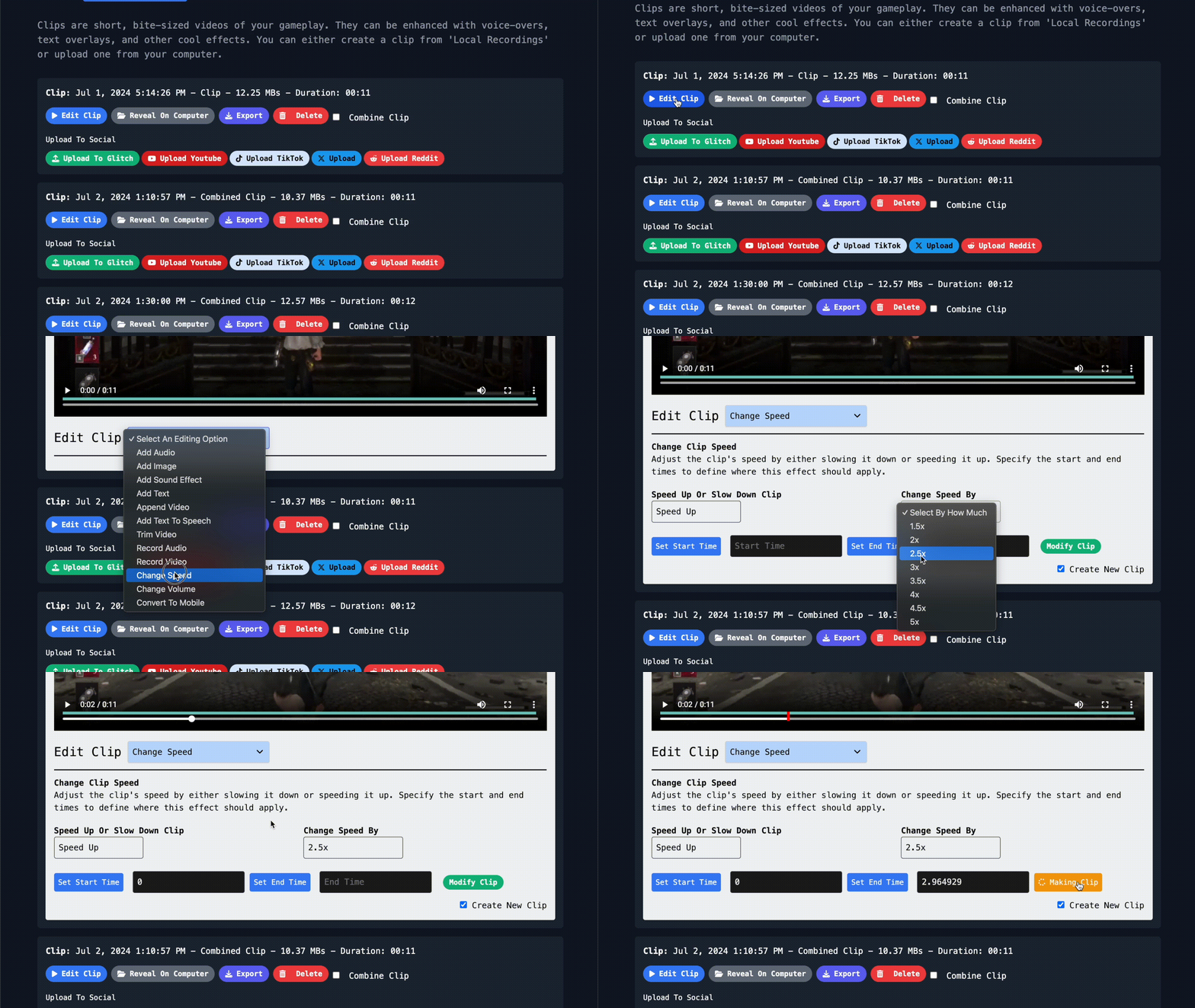
Pacing
Control speed for highlights and recaps
Slow down big moments, speed up setup, and keep the final export tight enough for social viewers and campaign review.
Make the next deliverable easier
Capture, edit, and publish from one creator workflow.
Glitch is built for gameplay creators who need to turn sessions into useful campaign content quickly.
Learn More About Creator Opportunities
Download Glitch Gaming Studio
Play Glitch games directly from your desktop, stream them, record sessions, and turn gameplay into clips.
Latest release: checking GitHub latest - Windows and Linux builds are active for this deployment.


Linux
Use AppImage for most desktops, or grab the Debian package for managed installs.