Multistreaming for creators
Go Live On More Than One Platform
Broadcast gameplay once, manage multiple destinations, and keep every stream connected to the campaign work you are doing.
One capture flow
Use the same game window, camera, overlays, and audio for each destination.
Platform mix
Cover Twitch, YouTube, TikTok, Facebook, Kick, and custom RTMP streams from one place.
Campaign evidence
Keep recorded streams and clips available for content review and reporting.
Fast setup
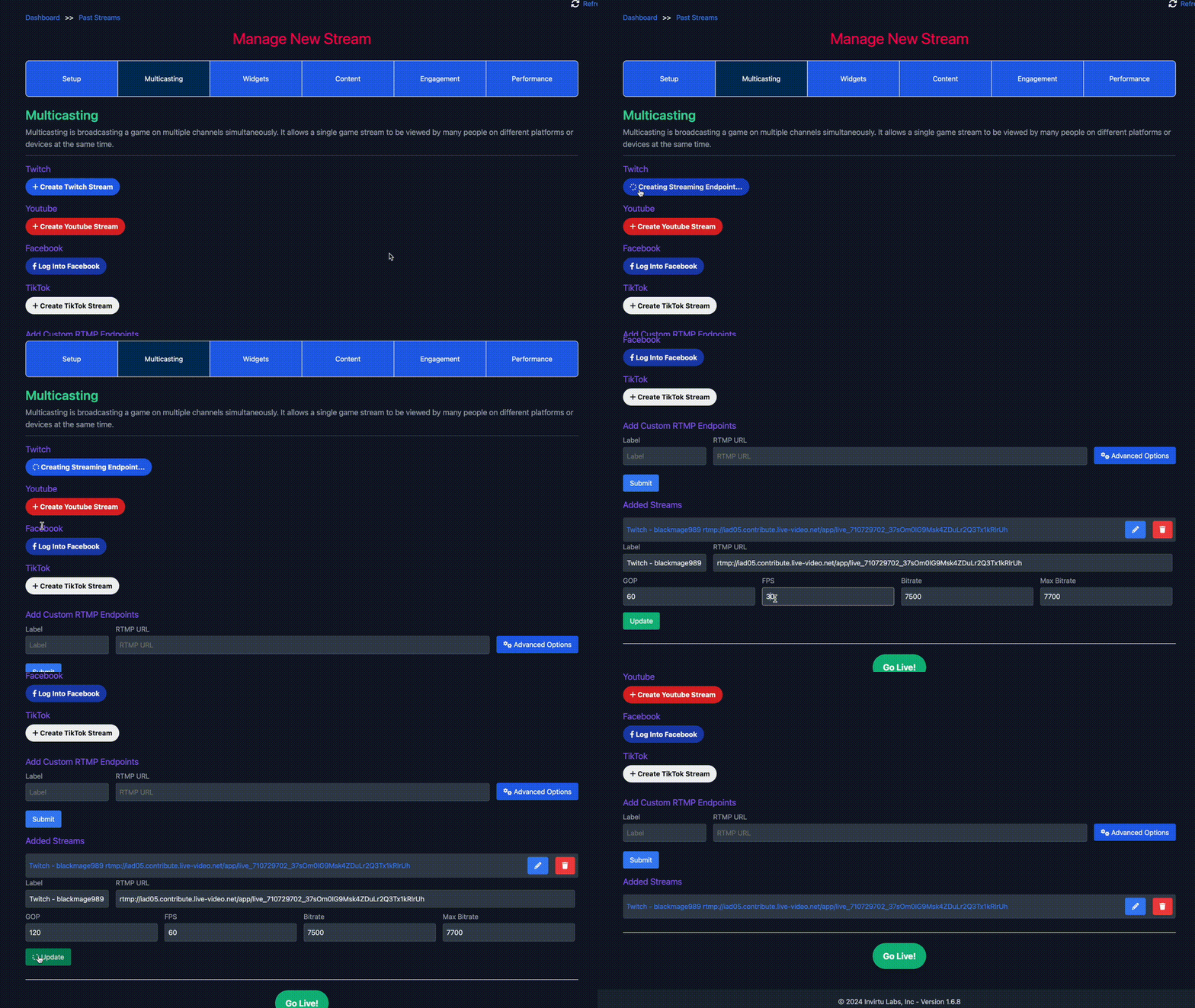
Create platform streams without rebuilding your setup
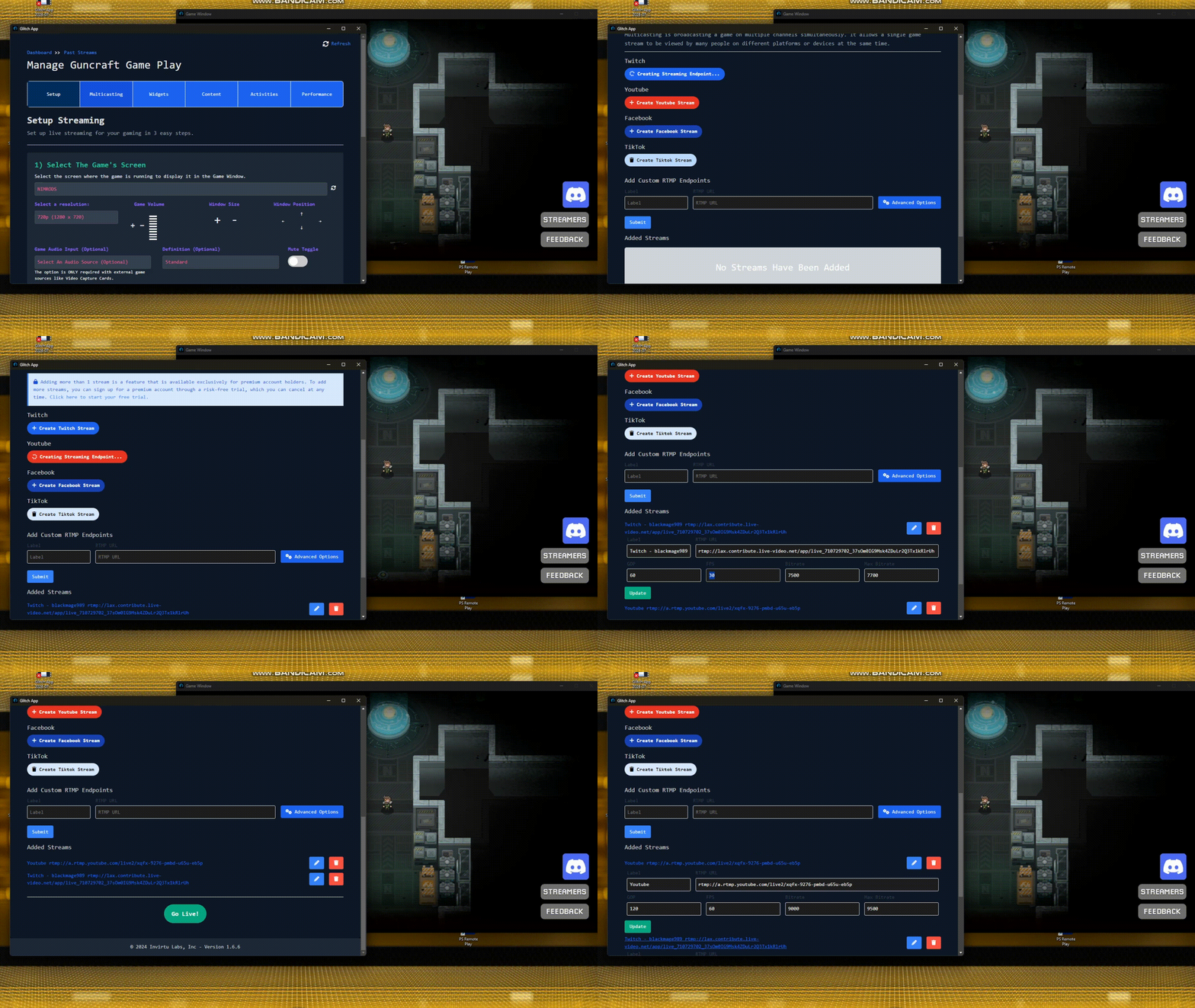
Start with the same gameplay capture, then add Twitch, YouTube, TikTok, Facebook, Kick, or custom RTMP destinations from the stream manager.
 Twitch
 YouTube
 TikTok
 Facebook
 Kick
Kick Custom RTMP
Distribution
Meet viewers where they already watch
A campaign can ask for Twitch hours, YouTube coverage, TikTok clips, or a custom stream endpoint. Keep the destinations visible and easy to manage.
Audience handling
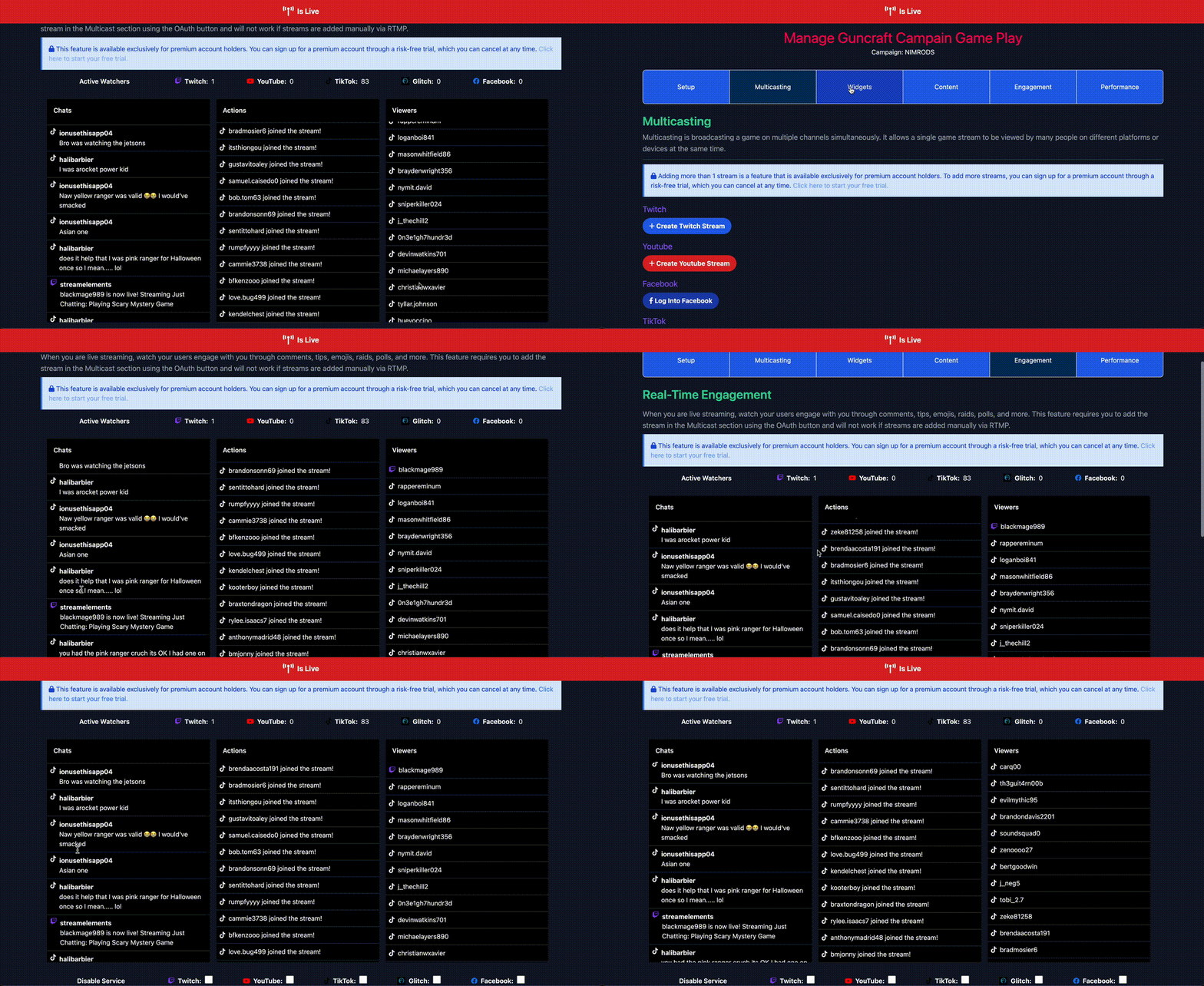
Watch engagement across multiple streams
Keep stream activity, chats, comments, and campaign signals in view while your gameplay is live on more than one platform.
Campaign-ready clips
Turn live coverage into reusable content
When the stream is over, use the same recording flow to create short clips, upload platform-specific cuts, and attach tracked campaign links.
Built for multi-platform coverage
Stream once, then clip and report what happened.
Glitch keeps gameplay capture, live distribution, and creator campaign output in the same desktop workflow.
Learn More About Creator Opportunities
Download Glitch Gaming Studio
Play Glitch games directly from your desktop, stream them, record sessions, and turn gameplay into clips.
Latest release: checking GitHub latest - Windows and Linux builds are active for this deployment.
Linux
Use AppImage for most desktops, or grab the Debian package for managed installs.